Nintendo Switch Problems? 8 Common Issues and How to Fix Them
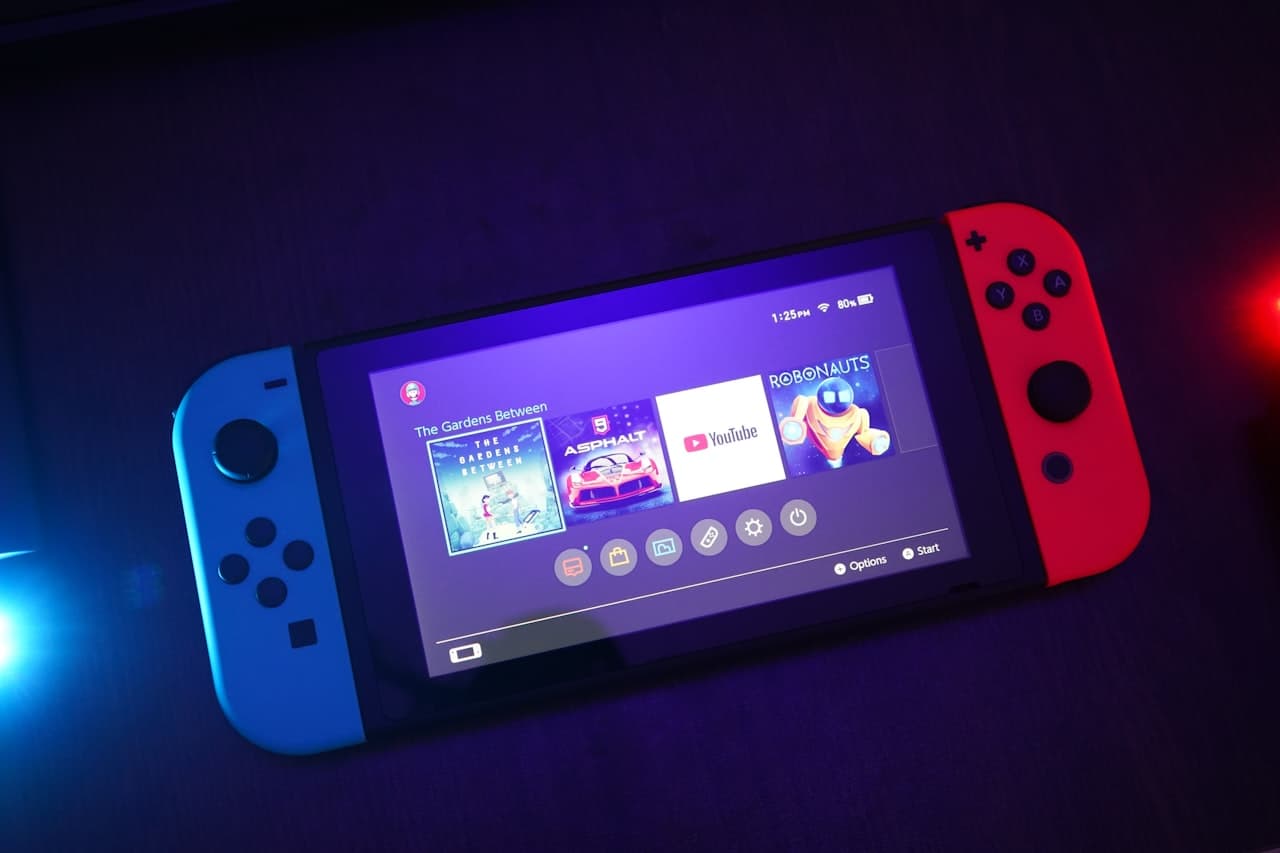
The Nintendo Switch is an incredible console, but like all gaming hardware, it can develop problems over time. From the infamous Joy-Con drift to dock connection issues, here's how to troubleshoot and fix the most common Switch problems.
1. Joy-Con Drift
The Problem
The joystick registers movement when you're not touching it. Characters walk on their own, camera spins randomly, or menus scroll without input.
Why It Happens
- Dust and debris under the stick
- Worn contact pads
- Degraded potentiometer components
DIY Fixes
Method 1: Calibrate the Controllers
- Go to System Settings > Controllers and Sensors
- Select "Calibrate Control Sticks"
- Follow the on-screen instructions
- Lift the rubber flap under the joystick
- Use compressed air to blast out debris
- Use a cotton swab with 90%+ isopropyl alcohol
- Let dry completely before testing
- Go to System Settings > Controllers and Sensors
- Select "Update Controllers"
Professional Repair
If cleaning doesn't help, the joystick mechanism needs replacement:
- Parts cost: £5-10
- Professional repair: £25-40 per Joy-Con
- Turnaround: Same-day
2. Won't Charge
The Problem
Switch doesn't charge in handheld mode, dock, or both.
Troubleshooting Steps
Check the basics:
- Try different outlet
- Try different cable
- Try different dock (if applicable)
- Inspect USB-C port for debris or damage
- Hold power button for 15 seconds
- Wait 30 seconds
- Press power button to turn on
- Try charging again
- Leave connected to charger for 30+ minutes
- May need to reset again after
Common Causes
- Dirty USB-C port - Clean with compressed air and soft brush
- Damaged cable - Nintendo cables are known to fail
- Failed charging IC - Requires professional repair
- Battery failure - Needs replacement
Professional Solutions
- Port cleaning: £25-35
- USB-C port replacement: £60-90
- Battery replacement: £50-70
- Charging IC repair: £80-120
3. Won't Connect to TV
The Problem
Docked Switch shows no display on TV, or connection is intermittent.
Troubleshooting
Check dock connections:
- Remove all cables from dock
- Reconnect in this order:
Try different HDMI port on your TV
Test with different TV to isolate the issue
Check TV resolution settings: Some TVs don't support Switch's default resolution
Update Switch firmware: System Settings > System > System Update
Hardware Issues
Green light but no display:
- Dock issue - try different dock
- HDMI IC failure - professional repair needed
- Dock power issue
- Switch USB-C port damage
- Dock internal failure
Professional Repair
- Dock repair/replacement: £40-80
- Switch HDMI IC repair: £90-140
- USB-C port repair: £60-90
4. Screen Issues
Problem Types
Horizontal/vertical lines:
- Usually LCD ribbon cable or display issue
- Can indicate impact damage
- Bright dots that stay on = stuck pixels
- Dark spots that stay off = dead pixels
- Full screen or specific areas
- May be software or digitizer issue
DIY Attempts
For stuck pixels:
- Display a rapidly flashing color screen
- Run pixel-fixing software/videos
- May unstick temporarily
- Clean screen thoroughly
- Remove screen protector
- Restart console
- Calibrate touch screen in settings
Professional Repair
- Screen replacement: £80-120
- Digitizer only (if separate): £50-70
- Ribbon cable repair: £40-60
5. Overheating
Symptoms
- Console very hot to touch
- Fan running constantly at high speed
- Performance drops/stuttering
- Automatic shutdown during play
Causes
- Blocked air vents
- Dusty internal fan
- Thermal paste degradation
- Playing in hot environment
Prevention & Fixes
Keep vents clear:
- Don't block ventilation holes
- Use dock in ventilated area
- Remove case when docked
- Use compressed air through vents
- Professional internal cleaning recommended
- Avoid direct sunlight
- Don't play in cars on hot days
- Take breaks during long sessions
Professional Service
- Internal cleaning: £35-50
- Thermal paste replacement: £40-60
- Fan replacement: £45-65
6. Game Card Not Reading
The Problem
"Game card could not be read" error, games not loading, or constant ejecting.
Troubleshooting
Check the game card:
- Clean contacts with soft cloth
- Check for physical damage
- Try in different Switch if possible
- Look for debris with flashlight
- Use compressed air to clean
- Check for bent pins
- Update system software
- Delete and re-download any game data
Hardware Repair
- Card slot cleaning: £25-35
- Card reader replacement: £60-90
- Includes full testing
7. Battery Drains Quickly
Expected Battery Life
- Handheld mode: 2.5-9 hours (depending on game)
- Sleep mode: weeks
When to Worry
- Less than 2 hours on any game
- Won't hold charge overnight in sleep mode
- Battery percentage jumps erratically
Maximise Battery Life
Software settings:
- Lower screen brightness
- Enable airplane mode when not needed
- Disable Wi-Fi when playing offline
- Turn off controller vibration
- Let battery cycle occasionally (full drain/charge)
- Don't leave plugged in 24/7
- Store at 50% charge if not using
Battery Replacement
Original batteries degrade after 2-3 years of heavy use.
- DIY replacement: £20-30 (parts) + risk
- Professional replacement: £50-70
- Improved battery life guaranteed
8. Audio Problems
No Sound Issues
Check basics:
- Volume not muted
- Headphones not detected incorrectly
- TV audio settings (when docked)
- Headphone jack issue
- Try cleaning jack with compressed air
- Speaker failure
- Ribbon cable issue
Professional Repair
- Speaker replacement: £35-50
- Headphone jack repair: £40-55
- Audio IC repair: £70-100
Prevention Tips
Keep Your Switch Healthy
- Use a case when travelling
- Keep it clean - regular external cleaning
- Update regularly - firmware fixes bugs
- Don't overcharge - remove from dock overnight
- Store properly - cool, dry place
- Handle with care - Joy-Cons are fragile
Accessory Recommendations
- Tempered glass screen protector
- Quality travel case
- Thumb grip caps for Joy-Cons
- Charging stand (better ventilation than dock)
RevivaTech Switch Repair Services
We repair all Nintendo Switch models:
Pricing
| Repair | Standard Switch | Switch Lite | OLED Model |
| Joy-Con drift (per controller) | £35 | N/A | £35 |
| Screen replacement | £89 | £79 | £149 |
| Battery replacement | £59 | £55 | £65 |
| Charging port | £65 | £60 | £70 |
| Game card reader | £75 | £70 | £80 |
- Free diagnostic
- Quality parts
- 6-month warranty
- Same-day service (most repairs)
Book Your Switch Repair
Don't let hardware issues ruin your gaming. Our experienced console technicians can fix your Switch quickly.
📞 Free diagnostic available 💻 Book your repair
Written by RevivaTech's gaming console specialists. We've repaired thousands of Nintendo Switch consoles and know every issue inside and out.
Share this article

Written by
Alex Turner
Gaming Console Repair Specialist with expertise in Nintendo, PlayStation, and Xbox systems.